How to verify a sealed document offline
Offline document verification checks the proof carried by a held file using locally available verifier resources. With Receiz, the complete sealed original carries its proof. A recipient can verify that original independently of the application that created or displayed it.
Keep review moving when a vendor portal, network connection or originating team is unavailable.
An inspector sends a sealed record to a reviewer on a second computer. The reviewer keeps the exact file and prepares the verifier while connected. The inspection record remains checkable after the originating portal is closed and the receiving computer is disconnected.
Put it to work.
- 01
Keep the complete sealed original
Use the downloadable demonstration file below, or a Receiz proof object you are permitted to inspect. Preserve its exact bytes. A screenshot, copied text or converted document is a different object and cannot replace the original.
- 02
Prepare the receiving computer
Download the canonical Offline Verifier while connected. Open the saved HTML file in your browser and keep it available on the receiving computer. Offline Studio also provides sealing and verification in one downloadable tool.
- 03
Disconnect and verify
Disconnect the receiving computer from the network. Open the local verifier, select the complete original and inspect each reported result. Record which artifact was checked and which proof checks passed; a green status must belong to the file you actually received.
- 04
Inspect the carried record
Review the evidence and supported carried history alongside the verification result. Reconnect only if the task requires discovering later additions or external facts. The held original remains the reference for the completed check.
One original. An independent check.
Use the public demonstration proof object to practice. Keep it intact, prepare the verifier, then check the held file on a separate device. This is example material, not a customer record.
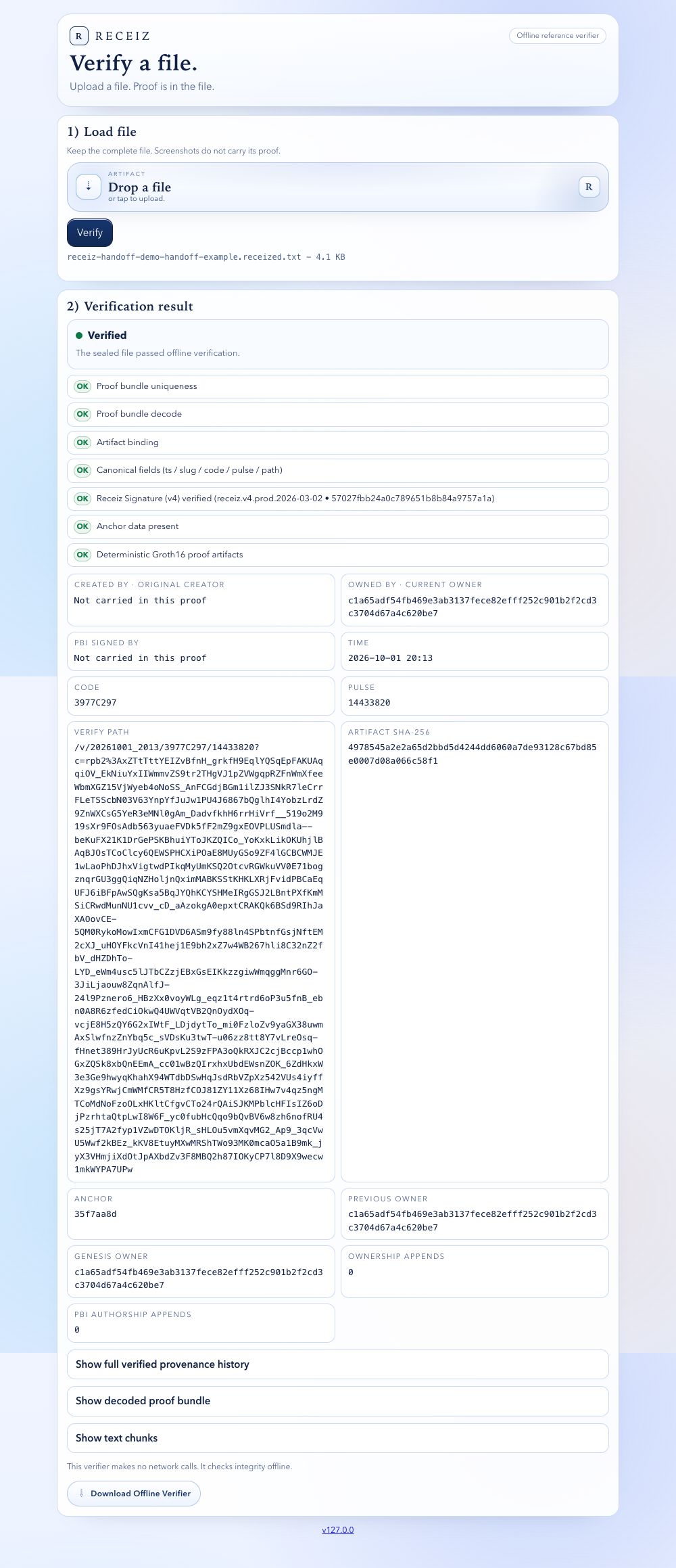
Receiz verifier interface. Verify your selected file to obtain its own result.
What the evidence establishes.
Offline verification establishes the supported proof of the held artifact. It does not discover events absent from the package or establish that a physical-world statement is accurate merely because it was sealed.
Questions before you start.
Does the recipient need a Receiz account?
Public verification of a held Receiz proof object does not require signing in. Keep the complete original and the verifier resources required for the supported format.
Can I verify an ordinary PDF that has never been sealed?
A document must carry supported proof for the verifier to establish that proof. Sealing an existing PDF establishes a proof boundary for the sealed file; it does not retroactively prove its earlier history.
Can Offline Studio handle this in one tool?
Yes. Offline Studio includes the canonical verifier and local sealing workflow. Prepare the tool and complete canonical enrollment for new sealing while connected; held-file verification is a separate operation.